
Tutorials and other documents
Use the WiseMo Guest module to access computers and devices running the Host module.
Read our tutorial for each type of Guest and Host module to learn how to download and use the module. Includes examples of remote control and explains about features available.
To learn about easy Guest and Host connectivity over the Internet, browser based Guest functionality, deployment links and more, please see the myCloud guides section.
For more advanced guidance on deployment, configuration and use – please consult the Advanced Guides section.
Guest guides:
- Windows Guest guide (pdf)
Learn about the Guest module for PCs and Servers
- Android Guest guide (pdf)
Learn about the Guest module for Android devices
- iOS Guest guide (pdf)
Learn about the Guest module for iPhones and iPads
- Mac Guest guide (pdf)
Learn about the Guest module for Mac computers
Host guides:
- Windows Host guide (pdf)
Learn about the Host module for PCs and Servers
- Mac Host guide (pdf)
Learn about the Host module for Mac computers
- Android Host guide (pdf)
Learn about the Host module for Android devices
- Win Mobile/CE Host guide (pdf)
Learn about the Host module for Win Mobile /CE devices
myCloud guides:
In addition to the below video tutorial , you will find more on specific myCloud subjects by signing into a myCloud domain.
- Video tutorial
See how to remote control from browser, deploy and connect.
Advanced guides:
General:
Android:
- Android Host advanced installation and configuration (pdf)
- Intune Deployment and Configuration of the WiseMo Android Host (pdf)
- WiseMo Host for Android Management Guide (pdf)
- WiseMo remote control of Zebra scanner and mobile devices (pdf)
- Universal Add-on installation on Android (pdf)
- Integrating the WiseMo Guest ActiveX in MFC Applications (Visual Studio 2022) (pdf)
- Managing WiseMo Remote Control using Windows Active Directory (pdf)
- Silent installation instructions (pdf)
- Windows Host deployment using Microsoft Intune (pdf)
- WiseMo.ini documentation (pdf)
macOS:
Windows Mobile and CE:
myCloud:
Brochures:
Smartphones, Tablets and other mobile devices
Features and benefits for WiseMo modules that runs on Smartphones, Tablets and other mobile devices. Also learn about technical requirements.
Windows and Mac
Features and benefits for WiseMo modules that runs on Windows PCs and Mac computers. Also learn about technical requirements.
Desktop and Server modules (pdf)
Guest component
A developer’s tool to create software that can access remote PCs, Mac and mobile devices running the WiseMo Host module. Remote screen viewing, remote keyboard control, file transfer with split-screen views, chat and comprehensive remote management features. Add powerful remote control features to your application.
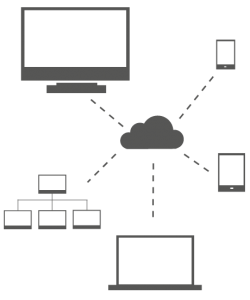
Cross Platform control
You may also like to consult our Videos